
Client Management
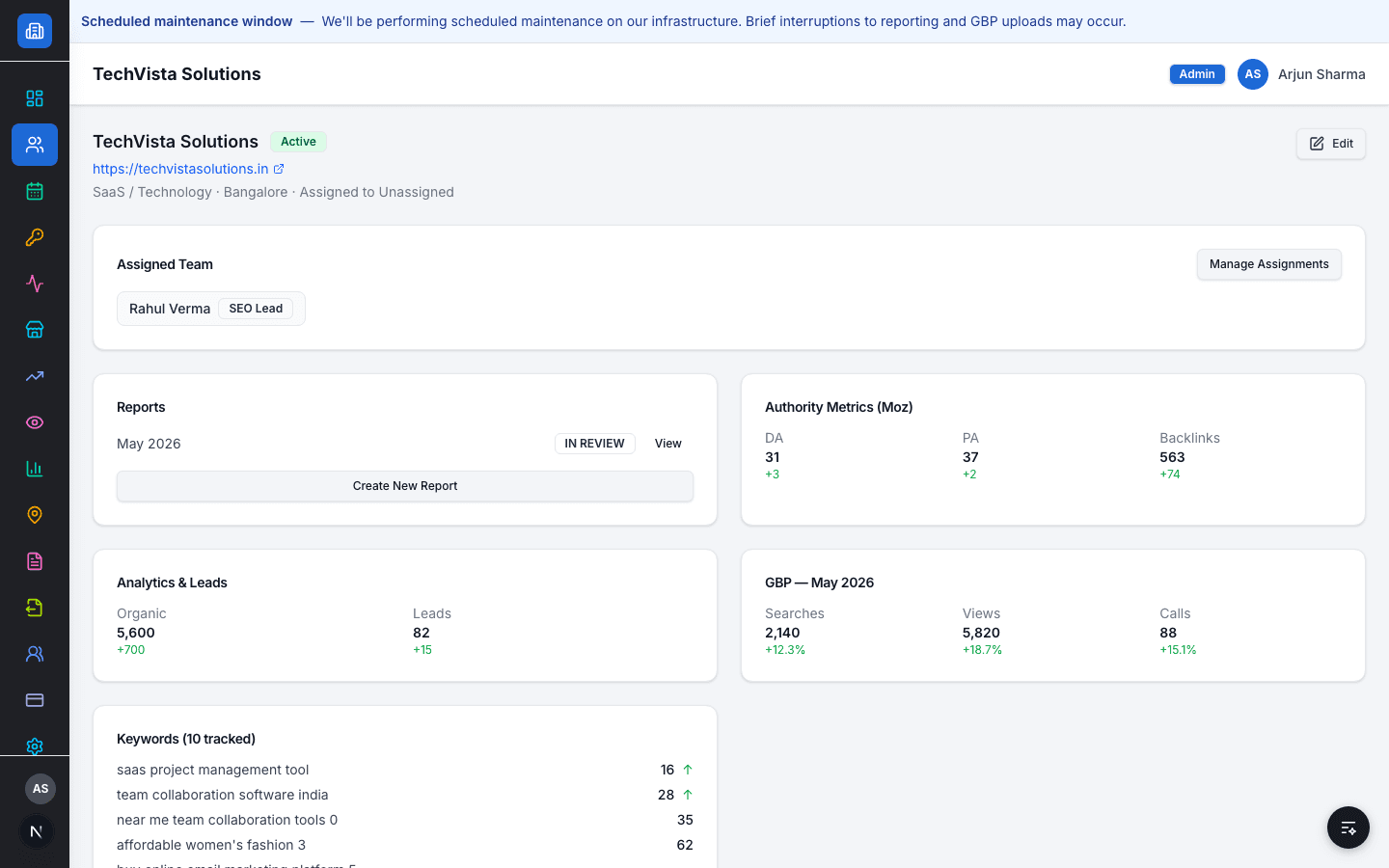
Every client's team, keywords, authority, GBP, and reports in one record.
The problem today
Client status lives in one spreadsheet, assignments in a Slack thread, and performance data in three different tools — nobody has the full picture in one place.
How Flioly handles it
A client record in Flioly is the single place team assignment, keyword tracking, authority metrics, analytics, GBP performance, and report status all roll up to — instead of five separate tools each holding one slice of the picture.
Capabilities
Supported workflow
- 1
Add a client and assign a team lead
- 2
Track status (Active/Paused) across the whole book
- 3
See keywords, authority, GBP, and analytics for one client in one view
- 4
Open or create that client's report from the same page
Role & access behaviour
SEO Team only sees clients they're assigned to. Managers and Admins see every client in the agency.
Related resources
FAQ
Can I see which clients are paused at a glance?
Yes — the client list shows Active/Paused status for every client without opening each one.
Does adding a client require a separate setup step for keywords or reports?
No — keyword tracking, GBP, and reporting are available on a client as soon as it's added.
See it in your workflow
Book a demo and we'll walk through it with your real client data.