
SEO Activity Tracking
Every SEO activity logged by type and client, not buried in a shared spreadsheet.
The problem today
Off-page work (bookmarking, guest posts, business listings, PR) gets logged in one shared spreadsheet tab per client, with no consistent categorisation and no way to see what a whole team did this week.
How Flioly handles it
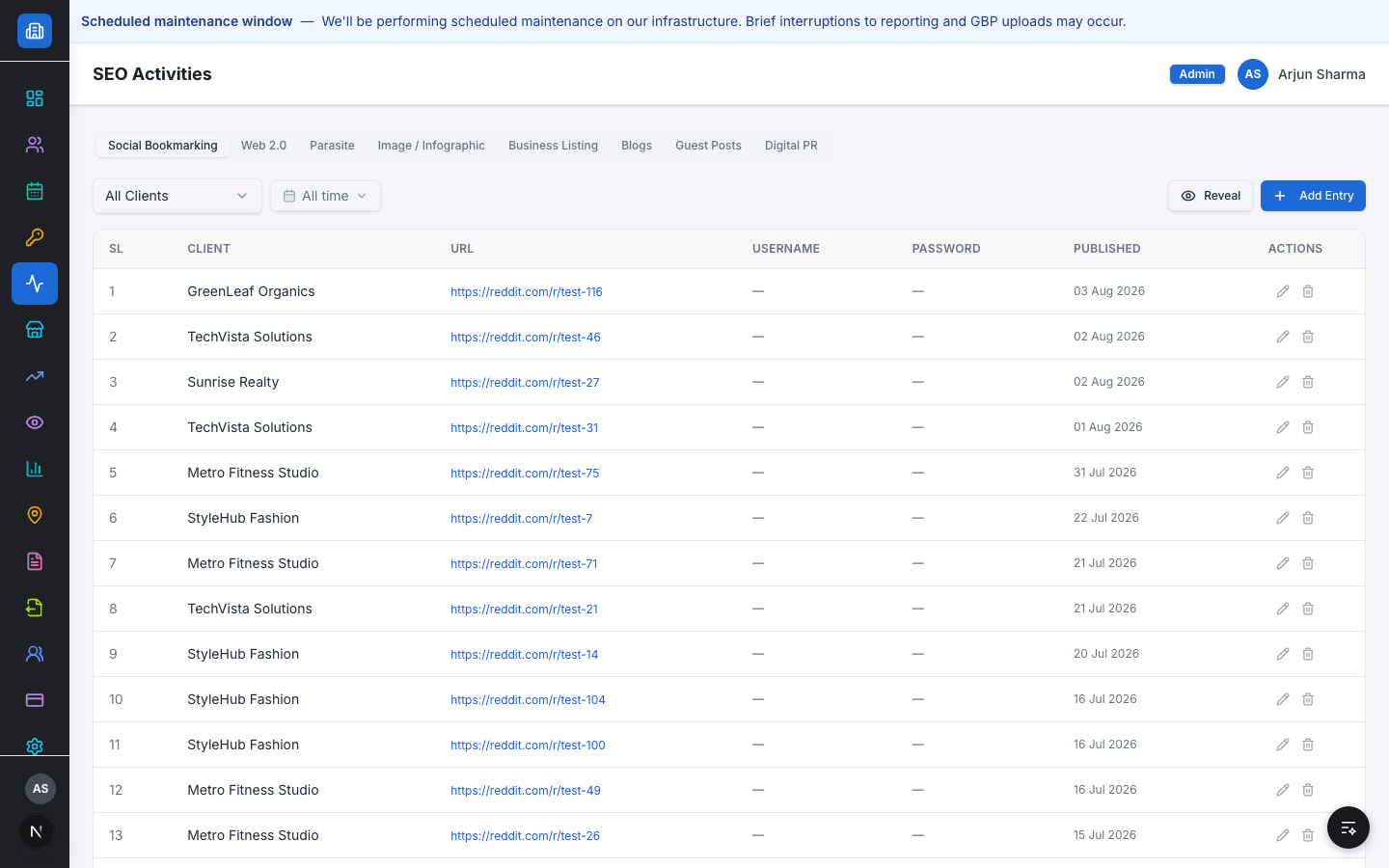
SEO Activities logs off-page work across eight categories — Social Bookmarking, Web 2.0, Parasite, Image/Infographic, Business Listing, Blogs, Guest Posts, and Digital PR — each entry tied to a client and a published date.
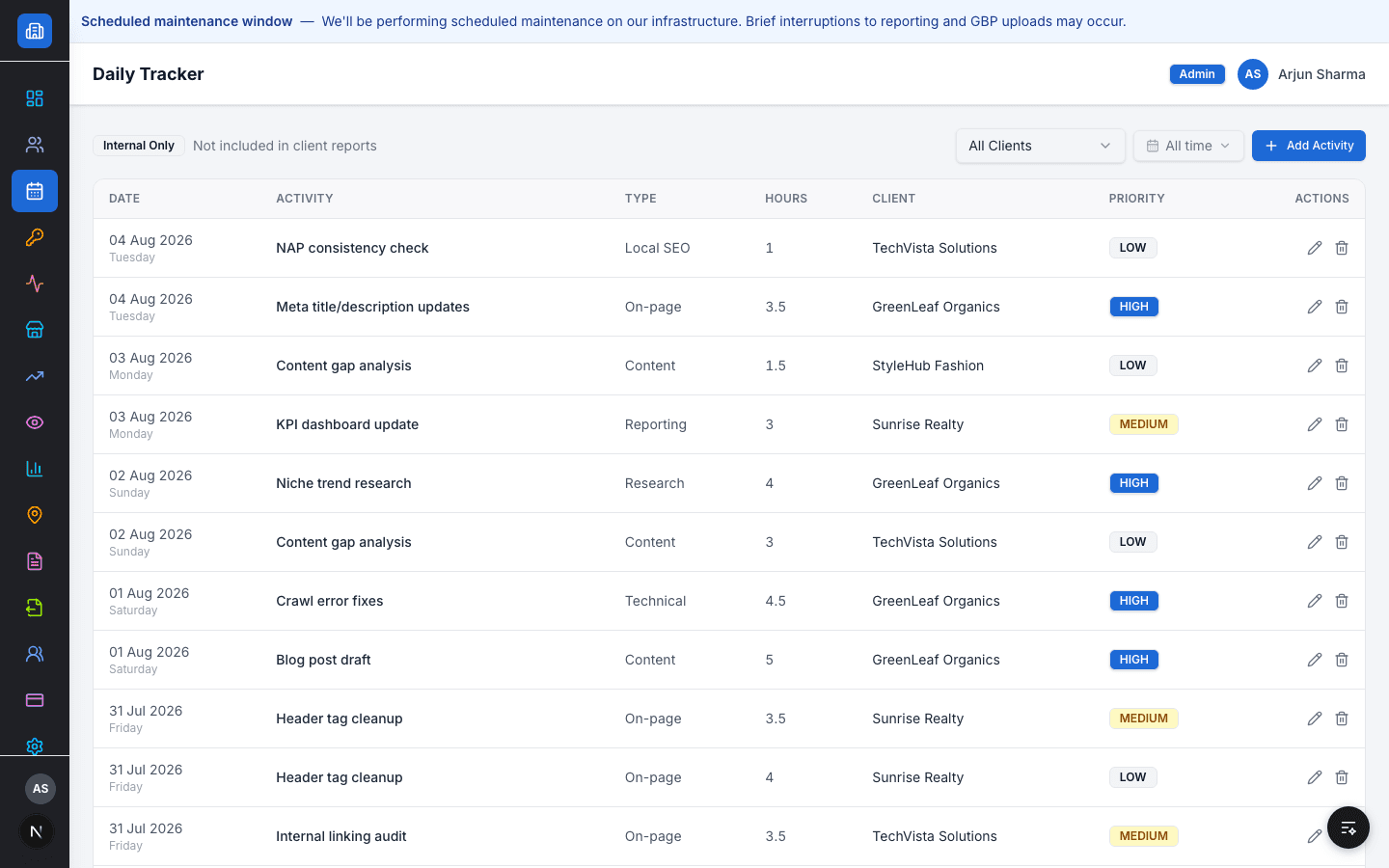
A separate Daily Tracker logs internal team time by activity type, hours, and priority — the agency's own operational record, not something a client ever sees.
Capabilities
Supported workflow
- 1
Log an off-page activity under its category, per client
- 2
Track internal team hours and priority in the Daily Tracker
- 3
Filter activity by client or by time period
Role & access behaviour
SEO Team logs activity for their assigned clients. Managers and Admins see activity across the whole agency.
Related resources
FAQ
Do clients see the Daily Tracker?
No — it's marked internal-only and excluded from client reports.
What counts as an SEO Activity category?
Social Bookmarking, Web 2.0, Parasite, Image/Infographic, Business Listing, Blogs, Guest Posts, and Digital PR.
See it in your workflow
Book a demo and we'll walk through it with your real client data.