
For SEO Operations Managers
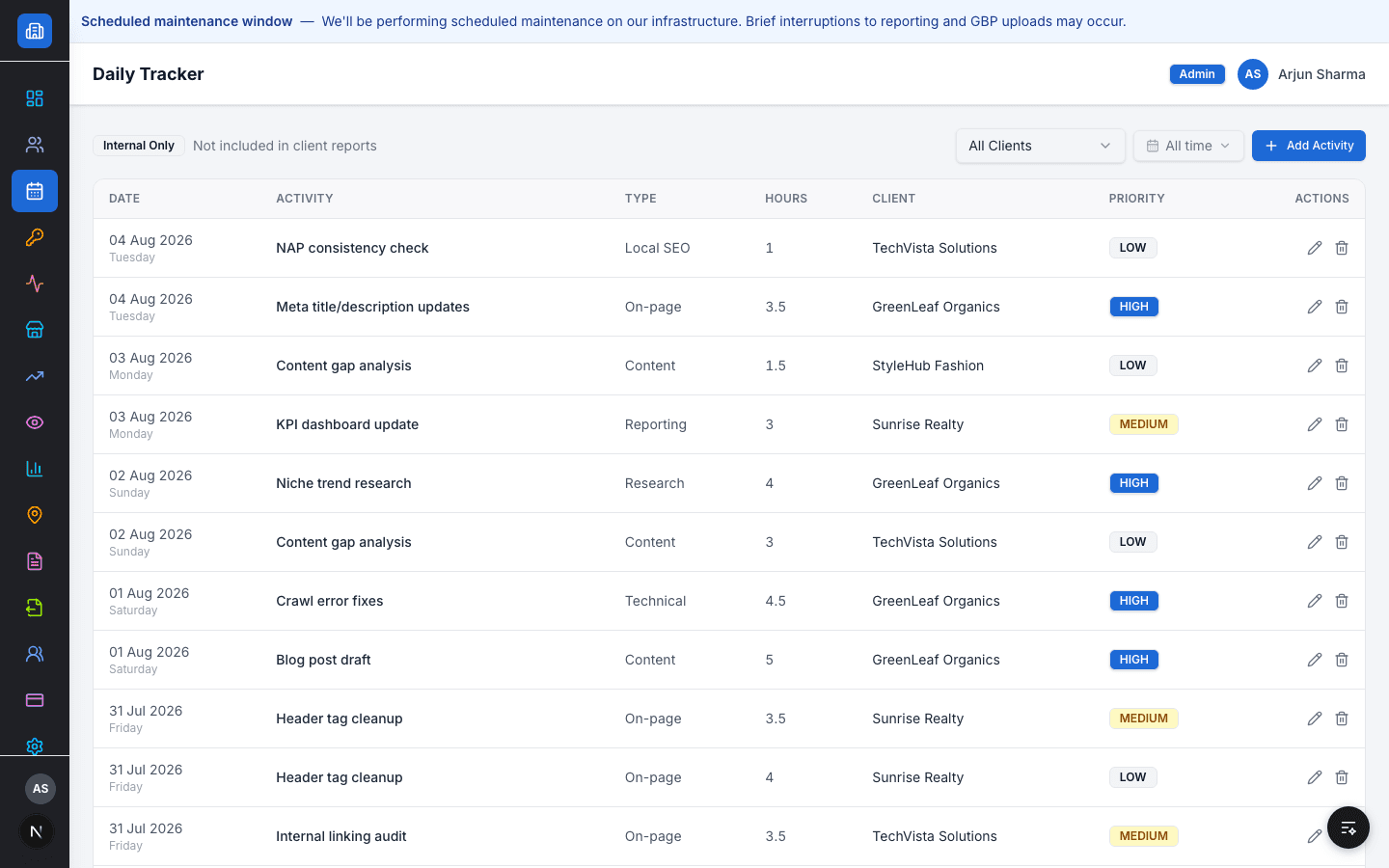
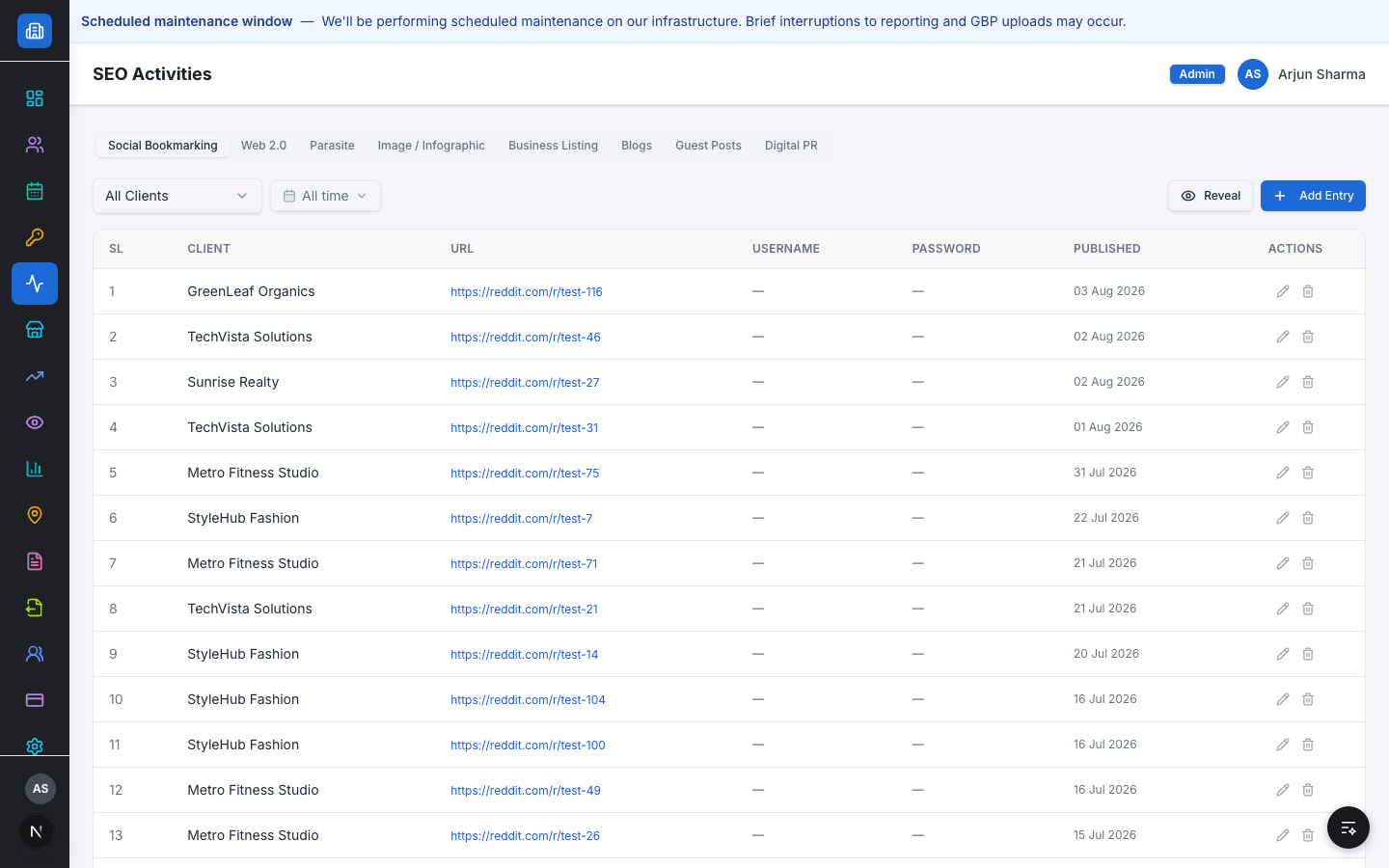
The Daily Tracker and SEO Activities log capture every team member's work by client, type, and priority as it happens — not reconstructed from memory at week's end.
Today
An operations manager needs to know what the team actually did this week, per client, without chasing five people for status updates.
With Flioly
The Daily Tracker and SEO Activities log capture every team member's work by client, type, and priority as it happens — not reconstructed from memory at week's end.
How Flioly solves it
- 1
Log an off-page activity under its category, per client
- 2
Track internal team hours and priority in the Daily Tracker
- 3
Filter activity by client or by time period
- 4
Add a team member and set their role
- 5
Assign team members to one or more clients
- 6
See every client's assigned team from the client record
Outcomes
- Real-time visibility into what each team member worked on and for which client
- Client assignments and workload visible in one place, not a shared doc
- Monthly SOP completion tracked against targets automatically
FAQ
Can I assign different team members to different clients?
Yes — client assignments and team management are built in.
See it built for how you work
Book a demo and we'll walk through it with your real client data.